
Revit Plugin Development: What BIM Managers Should Know First
What the Revit API can and cannot automate, how custom add-ins are built and maintained, and how to write a brief a developer can actually work from.
By Neo Forge Team · 11 Oct 2026 · 5 min read

Most BIM teams reach a point where the same tasks keep eating hours: renumbering sheets, checking parameters, placing families by rule, exporting schedules in a specific format. Someone suggests a custom Revit plugin. That is often the right call, but it helps to know what the Revit API can do, how add-ins are typically built, and what a developer needs from you before work starts.
What the Revit API Can Automate
The Revit API gives a plugin access to most of the model data your team works with every day. In practice, add-ins are well suited to:
- Reading and writing parameters across many elements at once, including shared and project parameters
- Creating and modifying elements such as views, sheets, levels, grids, rooms and family instances
- Batch operations like renaming, renumbering, tagging or applying view templates
- Model checking against your standards, such as naming conventions, missing data or wrong worksets
- Exporting and importing data to and from spreadsheets, databases or other systems
- Custom user interfaces with ribbon buttons, dialogs and dockable panels inside Revit
- Reacting to events, for example running a check when a file is saved or synced
If a task is rule-based and repeated, it is usually a good candidate.
What It Cannot Do (or Does Poorly)
The API is broad, but it is not unlimited. Some things to be aware of:
Areas the API does not fully expose
Not every Revit command or setting is available through the API. Some UI actions have no programmatic equivalent, and some element types can only be partly edited. A developer should confirm feasibility for anything unusual before committing to a scope.
Execution constraints
Revit add-ins typically run inside the Revit session and must respect its transaction model and threading rules. Long-running background processing alongside a user working in the model is limited. Heavy batch jobs across many files often need a different approach, such as running overnight or using cloud-based automation services where suitable.
Judgement-based work
A plugin can apply rules consistently. It cannot reliably make design decisions that depend on context your team has not written down. If the rule is "it depends," the tool will need either clearer rules or a human in the loop.
How Custom Add-ins Are Typically Built
Most Revit add-ins are written in C# on .NET, packaged as a compiled library with a manifest file that tells Revit how to load it. A typical project runs through these stages:
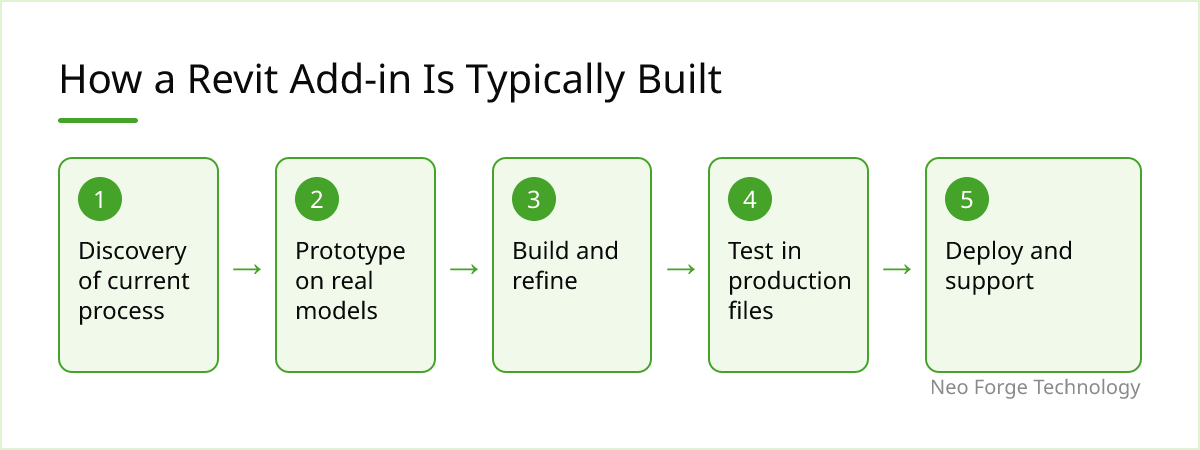
- Discovery: understand the current manual process, the inputs and the expected output.
- Prototype: build the core logic on real sample models to prove it works.
- Build and refine: add the interface, error handling and edge cases.
- Test in production files: real projects surface naming inconsistencies and odd families that test models miss.
- Deploy and support: install across the team and handle fixes.
Short prototypes are valuable. They expose API limitations and data quality problems early, when changing direction is cheap.
Maintenance Is Part of the Cost
Autodesk releases a new Revit version each year, and add-ins usually need to be rebuilt and tested for each one. Occasionally API changes require code updates, and newer Revit versions have moved to newer .NET runtimes, which can mean more significant work. Plan for:
- Annual version updates and testing
- Fixes when your standards or templates change
- Clear ownership of the source code and build process
- Documentation so another developer can pick it up later
A plugin with no maintenance plan tends to stop working quietly at the next upgrade.
How to Write a Useful Brief
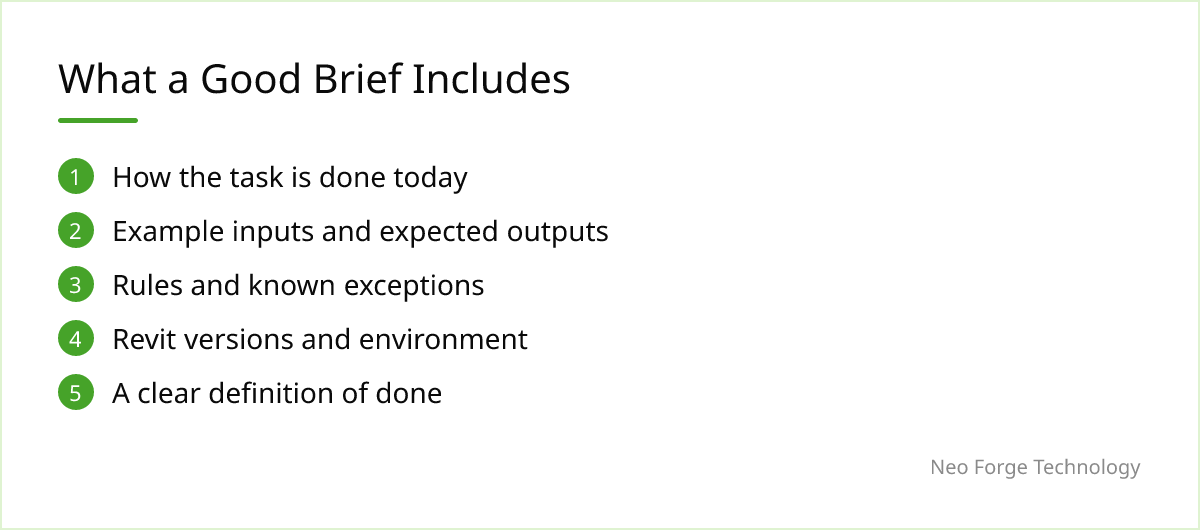
A good brief saves more time than any other step. It does not need to be technical. Include:
The current process
Describe how the task is done today, step by step, including who does it and how often. Screen recordings help.
Inputs and outputs
What data does the tool start from, and what should exist when it finishes? Provide example models, spreadsheets and the finished result you expect.
Rules and exceptions
Write down the rules, then list the exceptions you know about. Exceptions are where most of the effort goes.
Environment
State the Revit versions in use, whether you work with cloud-hosted or local central models, and any IT restrictions on installing software.
What success looks like
Define done: which users, which projects, and what the tool must not break.
When a Plugin Doesn't Fit
A custom add-in is not always the answer. If the task happens rarely, a manual checklist may be cheaper. If your standards are still changing week to week, automating them early means constant rework. Visual programming tools such as Dynamo can be enough for one-off or experimental workflows. And if the problem is really inconsistent data across projects, fixing templates and standards may deliver more than code.
Where Neo Forge Technology Fits
Our CAD / BIM & Engineering Software team builds Revit add-ins and automation inside the tools your team already uses, from small batch utilities to larger model-checking and data-exchange tools. If you have a repetitive Revit task in mind, a short conversation about the current process is usually the best place to start, and we can tell you honestly whether a plugin is the right fit.
- #Revit API
- #BIM
- #Revit Plugins
- #CAD Automation
- #BIM Management
