Video Analytics for Construction Site Safety: How It Works
How computer vision systems detect PPE use and unsafe zone entries on construction site video, and what to consider about cameras, privacy and accuracy.
By Neo Forge Team · 13 Nov 2026 · 5 min read
Construction sites change every day. Scaffolding goes up, excavations open, cranes swing loads over new areas, and crews rotate between trades. Safety managers cannot watch every corner at once, and walkdowns only capture a moment in time. Many sites already have cameras for security or progress tracking, but that footage is rarely reviewed for safety unless something has already gone wrong.
Video analytics aims to close part of that gap. A computer vision system watches camera feeds continuously and flags specific, well-defined conditions, such as a worker without a hard hat or a person inside an exclusion zone around operating equipment. This article explains how these systems typically work, what affects their reliability, and where they do not fit.
What the System Actually Looks For
Most site safety analytics focus on a small number of visual questions that can be answered from a single frame or a short clip:
- PPE compliance: is a detected person wearing a hard hat, high-visibility vest, or in some cases gloves, harnesses or eye protection?
- Zone intrusion: has a person entered an area marked as restricted, such as a crane swing radius, an excavation edge or a loading bay?
- Proximity: is a person too close to moving plant, like an excavator or forklift?
- Presence counts: how many people are in a given area, which can help with access control or evacuation checks.
The narrower and more visual the question, the better these systems tend to perform. "Is there a vest on this person?" is far more tractable than "is this person working safely?"
How Detection Works, Step by Step
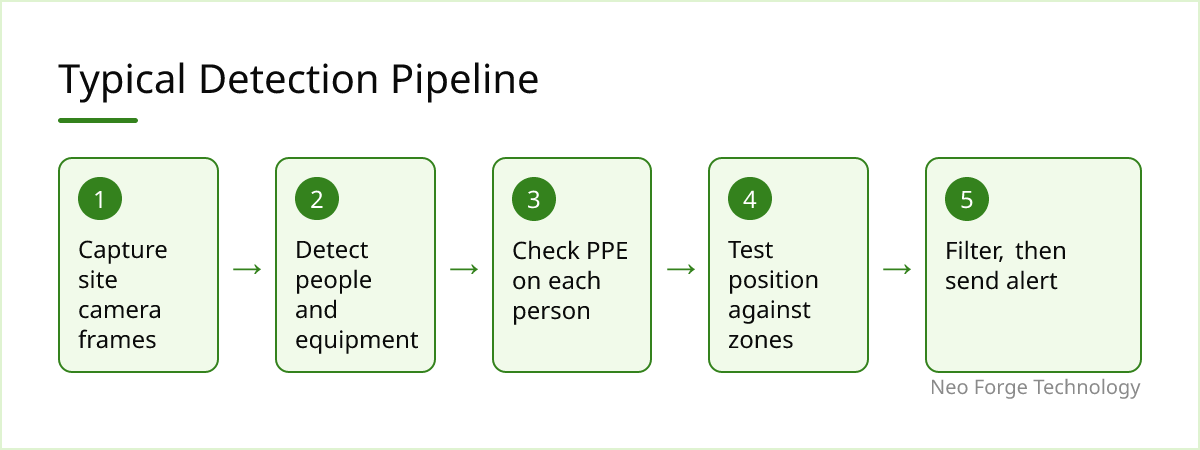
Under the hood, most systems follow a similar pipeline.
Detecting people and equipment
The first step is object detection. A deep learning model scans each frame and draws bounding boxes around people, and often around vehicles and plant. Modern detectors can run at useful frame rates on a local GPU device or a server, so footage does not always need to leave the site.
Checking PPE on each person
Once a person is found, the system checks for PPE. This is usually done either by detecting PPE items directly and associating them with nearby people, or by running a second classifier on the cropped image of each person. The model needs to be trained on images that look like your site: similar camera angles, lighting, clothing and PPE colours. A model trained mostly on clear, front-facing images often struggles with distant, overhead or partly hidden workers.
Defining unsafe zones
Zones are typically drawn as polygons on the camera view during setup. When a detected person's position, usually their feet, falls inside a polygon, the system registers an intrusion. For moving hazards, the zone can follow a detected machine rather than stay fixed. Because sites change, zones need to be reviewed and redrawn as work progresses.
Filtering and alerting
Raw detections are noisy, so systems usually require a condition to persist across several frames before raising an alert. Alerts can go to a dashboard, a supervisor's phone, or a site siren, and are usually stored with a short clip so someone can verify what happened.
Cameras: The Part People Underestimate
Model quality matters, but camera placement often matters more. Practical points to consider:
- Resolution and distance: a hard hat that occupies only a few pixels is hard to detect reliably. Wide shots covering a whole site are good for zone monitoring but weak for PPE checks.
- Angle: steep overhead views hide faces and vests; low angles get blocked by materials and plant.
- Lighting and weather: glare, dusk, rain, dust and night work all reduce accuracy. Infrared cameras help at night but change how colours like hi-vis appear.
- Power and connectivity: temporary sites need robust mounting, power and either local processing or a reliable uplink.
- Relocation: as the building rises, cameras often need to move, which means re-checking views and zones.
Privacy and Worker Trust
A safety system that workers see as surveillance tends to create friction. Common practices that help:
- Be clear about what is detected and why, and what is not, for example no facial recognition.
- Process video on site where possible and store only flagged clips, for a defined retention period.
- Blur or crop faces in stored footage when identity is not needed.
- Use alerts for coaching and site improvements rather than individual discipline by default.
- Check local data protection rules and any agreements with workers or unions before deployment.
Accuracy: What to Expect
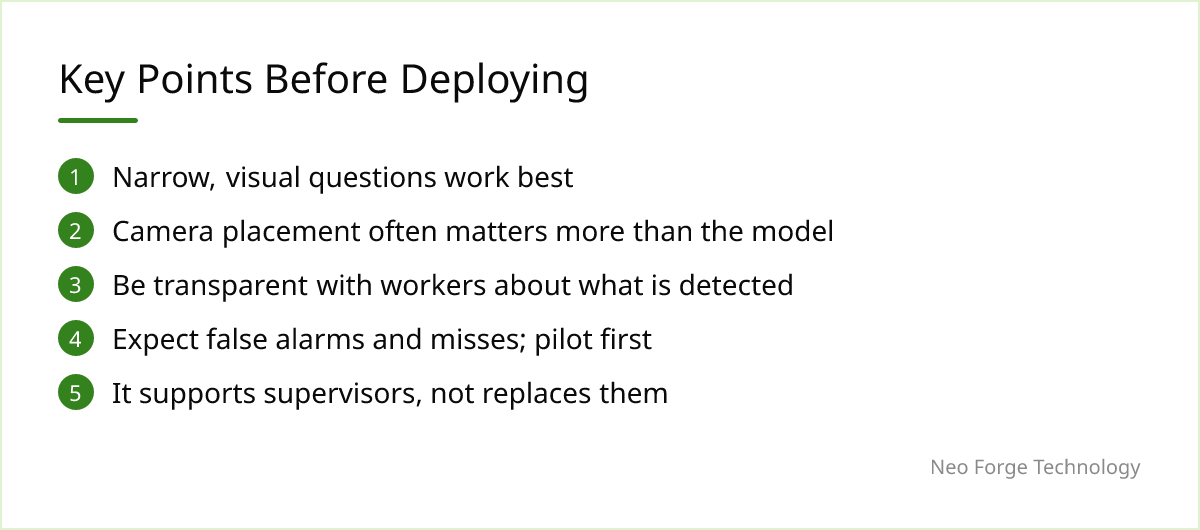
No detection model is perfect. Expect both false alarms (a dark beanie read as a hard hat, or the reverse) and missed events (a worker hidden behind a pallet). The useful questions are how often each happens on your cameras and whether the alert volume is manageable. A pilot on a few cameras, with someone reviewing flagged clips, is typically the best way to measure this before scaling up. Retraining on your own footage often improves results noticeably.
Limits: When It Doesn't Fit
Video analytics is not a replacement for supervisors, inductions or permit systems. It typically fits poorly when:
- Work is mostly indoors in tight, cluttered spaces with poor sightlines.
- The site is short-lived and cameras cannot be set up properly.
- The risk you care about is not visible, such as harness anchoring, gas exposure or fatigue.
- Nobody has time to act on alerts, so they get ignored.
In these cases, simpler measures or other sensors may be a better investment.
Building a System That Fits Your Site
The Computer Vision division at Neo Forge Technology builds custom systems that understand images and video, including detection pipelines that can run on site hardware and integrate with existing cameras and dashboards. If you are considering video analytics for safety, a sensible starting point is a scoped pilot: a few cameras, a clear set of conditions to detect, and an honest look at the results before going further. We are happy to talk through whether it makes sense for your sites.
- #computer vision
- #construction safety
- #PPE detection
- #video analytics
- #privacy